Public Build 10/20/2020
Added 2020-10-20 15:38:20 +0000 UTC
[Edit 11/5/2020]
[Edit 10/30/2020]
- Opened access to Followers of the Great Cleopatra and up.
[Edit 10/29/2020]
- New build with minor improvements to the Bioroid skin and technical fixes. Link and release notes have been updated.
[Edit 10/25/2020]
- Opened access to Underground Inhabitants and up.
The latest build is here. There is still no interactivity, although this part is in active development and hopefully in the next release we will get some basic dialogues. Fingers crossed.
(MEGA) https://mega.nz/file/Ex8GGKgB#eF4cK9sUOKlvOZFRWioVttpkeo9aV8K4ijMMTubs0AU
Release notes:
- [Private Scene] Sewerage
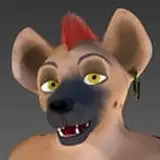
- [Improvement] (Carno) the Lizard character, got lots of visual changes. The model is freely available for download on the Patreon page
- [Improvement] Bioroid received a preliminary retexture. Finally, it looks like a man-made creation. The model update is also available for download.
- [Improvement] LookAt (Head Tracking) got a major revamp
- [Improvement] You may now move the camera by the Right Mouse Button
- [Fix] Animation Controls should not be visible if no Paired Animation is active
- [Fix] Application will not crash if playing a reverse animation
- [Fix] Made a small fix to prevent the camera from flipping
- [Bug] Switching video setting may crash the application.
- [Bug] Tessellation does not work correctly in UE 4.25. We made a temporary fix for this issue until the entire project was ported to UE 4.26.
- [Prototype] You can try DirectX 11, DirectX 12 and Vulkan by running the .bat file. This can be helpful if you are using Windows 7, Windows 8, and Windows 8.1.
Camera controls:
- "WASD" or "Right Mouse Button" to move camera origin
- "Left Mouse Button" to rotate around camera origin
- "Q" to move camera UP
- "E" to move camera DOWN
- "SHIFT" to move camera faster
- "Mouse Scroll" to move camera closer/farther
Other controls:
- "H" to toggle HUD (is showing by default)
- "X" spectate camera (enabled by default)
- "C" possess any character (useless in most cases, unless you would like to run some Test Levels, see Debug tab in the Main Menu)